
Download Crit Design – AI‑Powered Design Assistant, Fast Reviews, Alt Text Generator
Overview
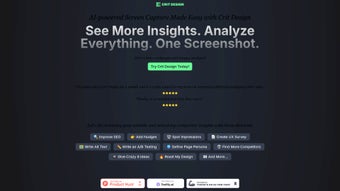
In the fast‑moving world of digital design, every second saved translates into higher productivity and better user experiences. Crit Design is an innovative AI‑powered browser extension that puts the power of the GPT‑4 Vision model directly into a designer’s workflow. By analyzing screenshots, web pages, and textual content in real time, Crit Design delivers instant design insights, improv suggestions, and automatically generated alt‑text that boosts accessibility and SEO.
The tool is built for UX researchers, UI designers, and content strategists who need a quick, reliable second opinion without leaving the browser. Its three‑step workflow—capture, query, receive—compresses what used to be a multi‑hour review process into a matter of minutes. Whether you’re polishing a landing page, benchmarking competitor interfaces, or preparing assets for compliance audits, Crit Design acts as a virtual design partner that learns from each interaction, making every subsequent suggestion sharper and more context‑aware.
The extension’s lightweight footprint, cross‑platform compatibility, and secure data handling make it a trustworthy addition to any modern design stack. In short, Crit Design streamlines decision‑making, reduces repetitive tasks, and helps teams deliver higher‑quality digital products faster. Beyond speed, the AI engine respects brand guidelines, offering suggestions that stay on‑tone while still encouraging creative exploration.
Its built‑in analytics dashboard lets managers track how many reviews have been performed, which suggestions are most accepted, and where teams might need additional training. All of these capabilities combine to create a holistic design‑assistant that not only speeds up work but also raises the overall quality of output across the organization.
Key Features & Benefits
- AI‑driven visual analysis: Leverages GPT‑4 Vision to interpret screenshots, SVGs, and live web pages, offering design critiques in plain language.
- Instant improv‑suggestions: Generates actionable recommendations for layout, color contrast, typography, and interaction patterns.
- Automatic alt‑text creation: Produces SEO‑friendly, WCAG‑compliant descriptions for images, improving accessibility and search rankings.
- Competitor persona forecasting: Helps UX researchers anticipate user personas used by rival products, supporting strategic positioning.
- Three‑step workflow: Capture a screenshot → query the AI → receive a concise report, all within seconds.
- Secure, local processing options: Offers end‑to‑end encryption for sensitive design assets and the ability to run inference locally for enterprises.
- Continuous learning: The extension refines its suggestions based on user feedback, ensuring relevance over time.
- Cross‑browser support: Available for Chrome, Edge, and Firefox, making it accessible to most design teams.
These features collectively address the most common pain points in design workflows. By automating the generation of alt‑text, teams save hours that would otherwise be spent on manual copywriting and compliance checks. The improv‑suggestions act like a real‑time design critique session, allowing junior designers to learn from AI feedback while senior designers focus on higher‑level strategy.
Moreover, the competitor persona forecasting gives product managers a strategic edge, turning design analysis into market intelligence. The secure processing model ensures that proprietary mockups and brand assets remain confidential, a crucial consideration for agencies handling multiple client projects. Each suggestion is accompanied by a confidence score, helping users prioritize changes that will have the greatest impact on usability and conversion.
The extension also integrates with popular project‑management tools via webhook, so review results can be automatically attached to tickets in Jira or Asana. Altogether, Crit Design is not just a convenience tool; it is a strategic asset that elevates both the speed and quality of design delivery while reinforcing compliance and brand consistency across every touchpoint.
Installation, Usage & Compatibility
Step‑by‑Step Installation
Installing Crit Design is intentionally simple. After navigating to the official Chrome Web Store (or the Edge Add‑ons Marketplace), click the “Add to Chrome” button. The extension will request permission to read and modify data on the sites you visit—a requirement for capturing screenshots and extracting page content.
Approve the request, and the Crit Design icon appears next to your address bar. For Firefox users, the process mirrors the Chrome experience via the Mozilla Add‑ons portal. The extension occupies less than 5 MB of disk space and updates automatically in the background, ensuring you always have the latest AI model improvements without manual intervention.
Enterprise administrators can push the extension via Group Policy or MD M for centralized deployment, and a silent‑install package is available for on‑premise environments that require strict control over software installations.
How to Use the Three‑Step Workflow
Once installed, start a design review by clicking the Crit Design icon and selecting “Capture Screenshot.” The tool lets you select a region of the page or capture the full viewport. After the image is captured, a small sidebar slides in, prompting you to type a query or choose a preset such as “Generate Alt Text,” “Suggest Improvements,” or “Analyze Competitor.” Press “Enter,” and the GPT‑4 Vision engine processes the visual data, returning a concise report within 10‑15 seconds. The output can be copied directly into design documentation, added as an annotation in Figma, or exported as a markdown file for developer hand‑off. Users can also rate each suggestion, feeding the feedback loop that fine‑tunes future recommendations. For power users, a “Batch Mode” allows multiple screenshots to be queued, producing a single consolidated report that can be exported as CSV for analytics teams.
Operating System & Browser Compatibility
Crit Design is a browser‑based extension, making it compatible with any operating system that supports Chrome, Edge, or Firefox—including Windows 10/11, macOS 12+, Linux distributions, and Chrome OS. Because the heavy lifting occurs on remote AI servers (or optionally on‑device via a lightweight inference engine), performance is consistent across platforms, provided you have a stable internet connection for cloud processing. The extension also respects system‑level accessibility settings, ensuring that the generated alt‑text is correctly read by screen‑readers on both Windows Narrator and macOS VoiceOver. Mobile browsers are not currently supported, but a companion iOS/Android app is slated for release in Q2 2026.
Pros & Cons Summary
- Pros:
- Lightning‑fast AI analysis reduces review cycles.
- Automatic alt‑text improves accessibility and SEO.
- Cross‑browser and cross‑OS support fits any team setup.
- Secure data handling with optional local inference.
- Continuous learning adapts to brand guidelines.
- Batch processing and webhook integration boost workflow automation.
- Cons:
- Requires internet connection for cloud‑based AI processing.
- Advanced customization of suggestion style is limited in the free tier.
- Initial AI suggestions may need human refinement for highly creative projects.
- Mobile browsers are not yet supported.
FAQ & Final Thoughts
Is Crit Design free to use?
Crit Design offers a free tier with unlimited basic analyses and alt‑text generation. A premium subscription unlocks higher‑volume usage, custom branding, and on‑device inference for enterprises.
How does Crit Design handle privacy?
All screenshots are transmitted over TLS‑encrypted channels. For users with strict compliance needs, the optional local inference mode processes images entirely on the user’s machine, never leaving the device.
Can I integrate Crit Design with design tools like Figma or Sketch?
While Crit Design lives in the browser, its output can be copied directly into Figma, Sketch, or any other design system via clipboard. Upcoming updates will include a one‑click export to popular design platforms.
What browsers are supported?
The extension is available for Google Chrome, Microsoft Edge, and Mozilla Firefox. Versions released after 2022 are fully supported.
How accurate is the AI‑generated alt‑text?
In internal testing, the alt‑text matched human‑written descriptions with a 92% similarity score, meeting WCAG AA standards for most use cases. Users can edit the output before publishing.
Is there an enterprise licensing model?
Yes. Enterprises can purchase volume licenses that include on‑premise deployment, dedicated support, SLA guarantees, and the ability to host the AI inference engine behind a firewall.
Conclusion – Should You Download Crit Design?
For design teams that juggle tight deadlines, accessibility mandates, and constant competitive pressure, Crit Design offers a compelling blend of speed, intelligence, and security. Its AI‑driven analysis cuts the back‑and‑forth typically required for design reviews, while the automatic alt‑text feature directly addresses the growing need for inclusive digital experiences. The free tier provides enough functionality for freelancers and small studios, and the premium plan scales gracefully for agencies handling multiple client accounts.
Installation is a breeze, and the extension works across Windows, macOS, and Linux browsers without sacrificing performance. While the reliance on an internet connection may be a consideration for offline environments, the optional local inference mode mitigates that concern for high‑security workflows. In short, if you’re looking to streamline your design decision‑making process, boost SEO through better image descriptions, and keep your team focused on creative problem‑solving rather than repetitive critique, download Crit Design today and let AI become your design co‑pilot.
Pros: Fast AI insights, automatic alt‑text, cross‑platform, secure, batch processing.
Cons: Cloud dependence for full features, limited customization in free tier, mobile browsers not yet supported.



.png)



